

From the dashboard screen select zones from the menu on the left

You will see an overview of your existing zones (if you have created them previously)
Select the green ‘+ create new’ button in the top right corner

This brings you to the create zone screen
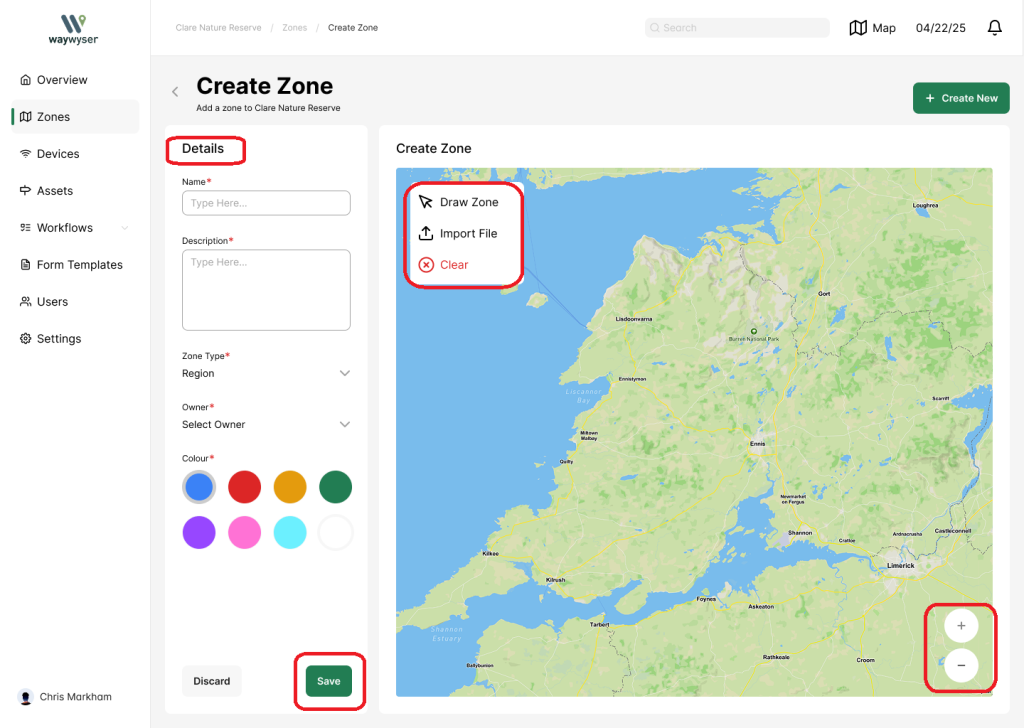
Fill in your zone details (name, description, zone type, owner, colour)
You can draw the zone on the map or import your own file
Zoom in and out using the + and – buttons on the bottom right
Select ‘Save’