

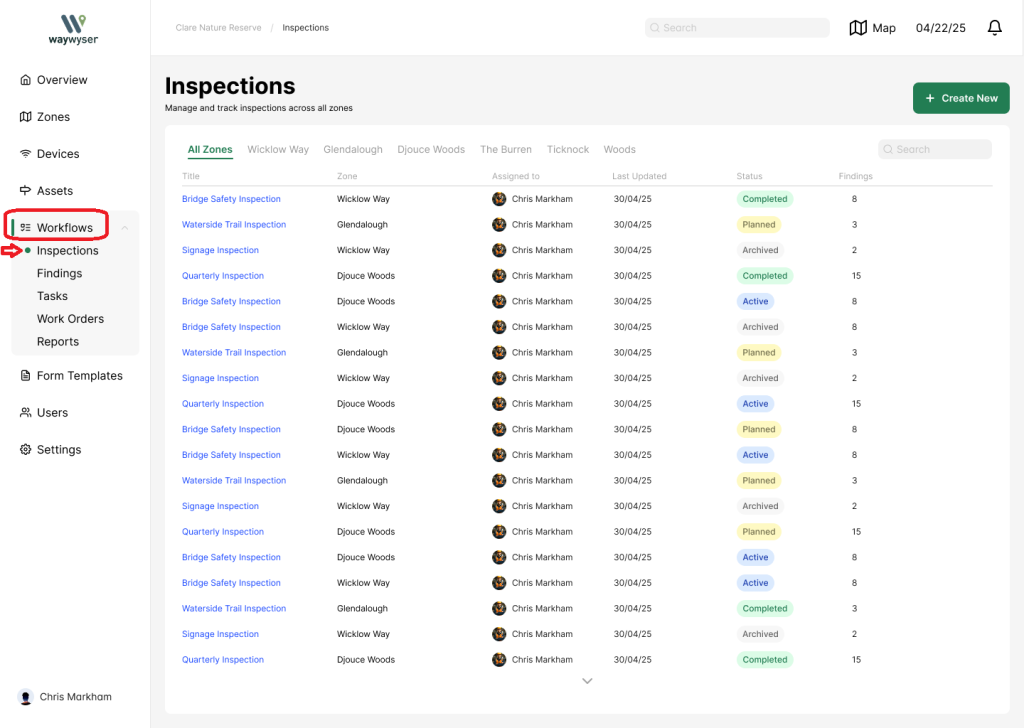
To access the inspections page, select workflows from the menu on the left
Select Inspections
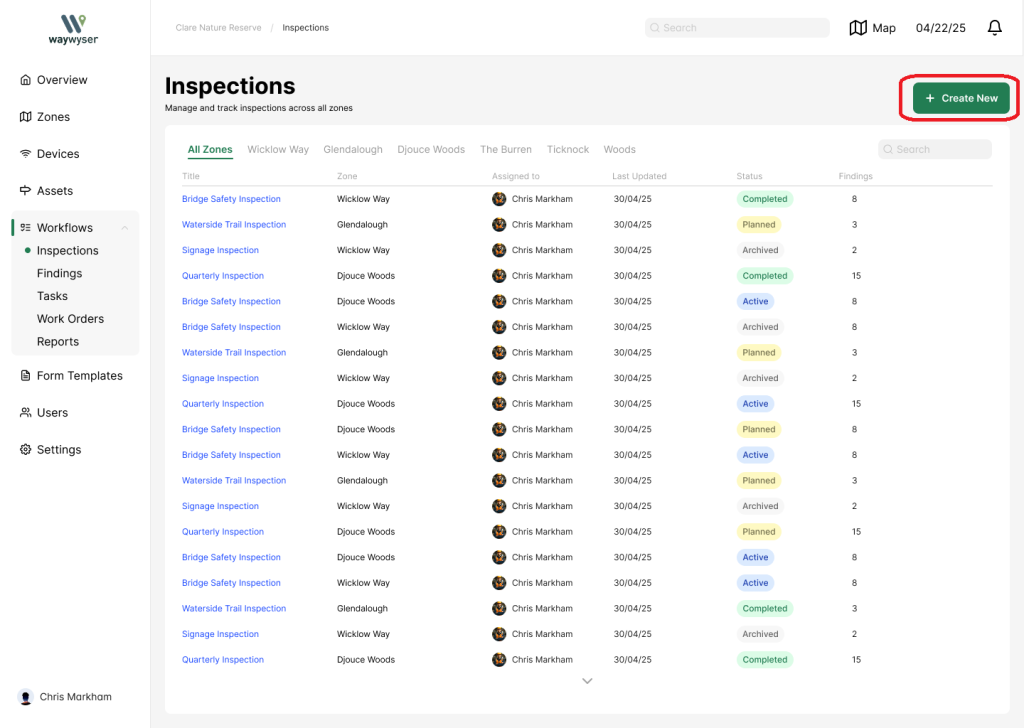
Select the create new button to create an inspection
This will open the create new inspection widget
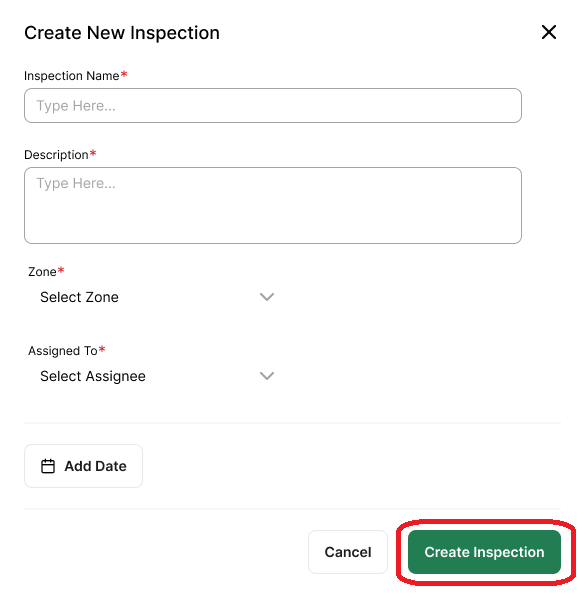
Add your inspection name, description, zone and assignee
Select the date by which the inspection must be completed
Click ‘Create Inspection’ to save