
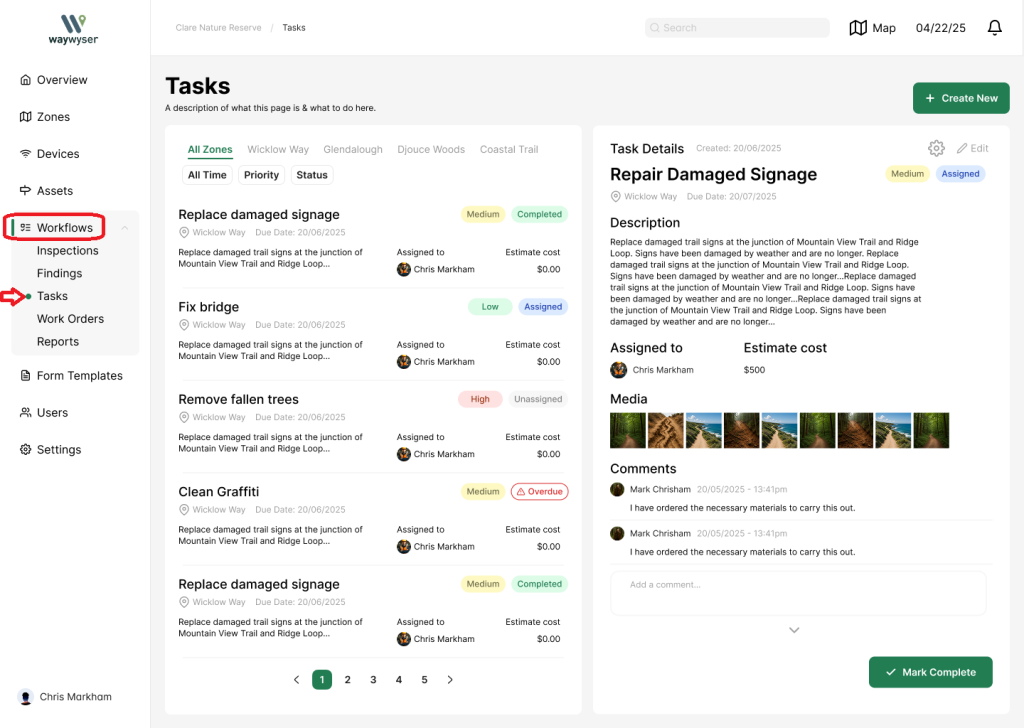
To open up the tasks dashboard select ‘Workflows’ from the side menu
Select ‘Tasks’ from the drop down
This opens up the tasks dashboard
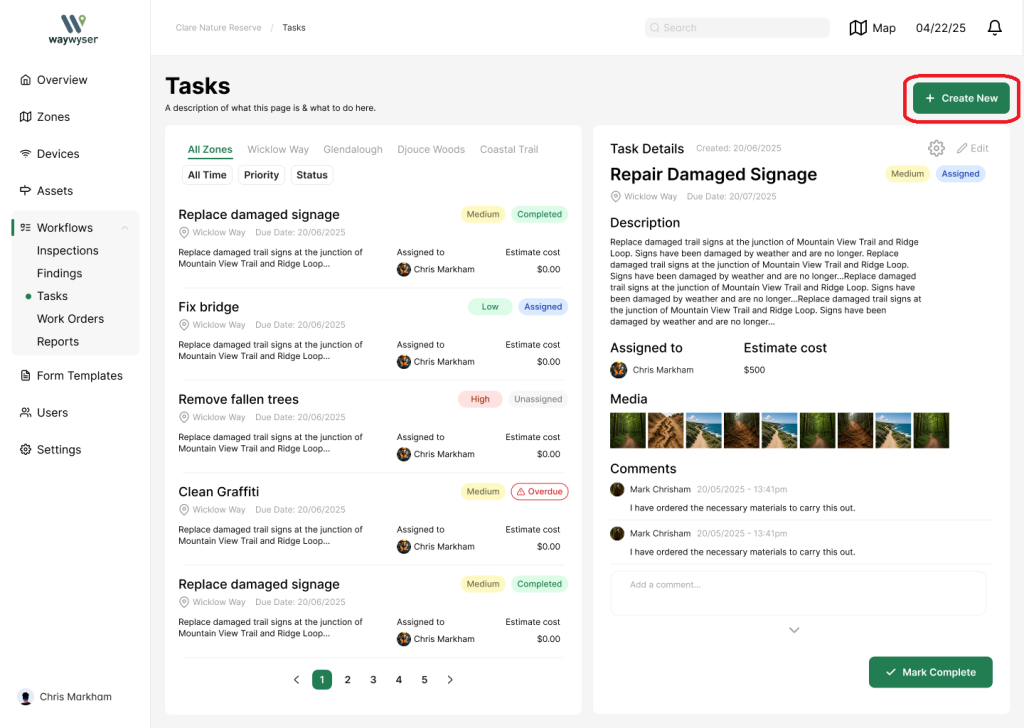
Select the green create new button in the top right
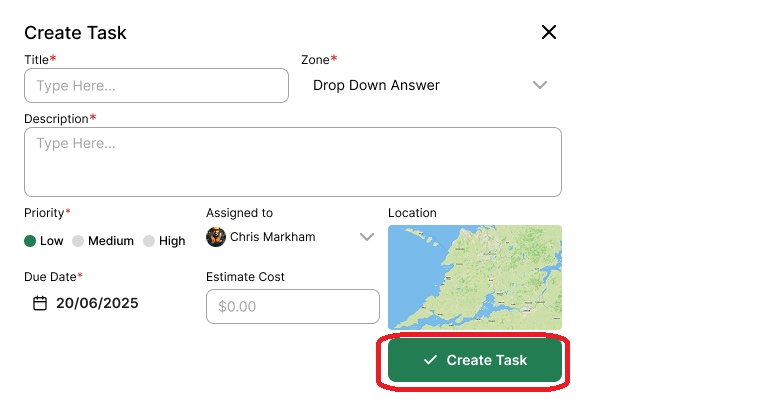
Fill in your task details, make sure it is assigned to someone
Select create task to save